


This post may contain affiliate links. If you make a purchase through one of these links, I earn a small commission at no extra cost to you. Read my full disclosure here.
Freedom Unclocked brings my Etsy print-on-demand course, group coaching, creative resources, and seller community together so you can work through the decisions involved in building your shop.
If you’re looking at the membership, the useful question is how those pieces would help with the work sitting in front of you right now.
When I started my own POD business, I sold T-shirts and mugs. I found those products very saturated, and later moved into hoodies.
Using Midjourney to improve my designs and amplifying what was already working became important parts of how I grew. Fast forward to today, I mainly use Ideogram and ChatGPT to improve my designs and amplify what is working.
That experience shapes what I teach. Product choice, research, execution, and understanding your results belong in the same conversation.
Here is what’s inside Freedom Unclocked, who each resource helps, and how I would approach using the membership alongside an actual Etsy shop.
What You Get Inside Freedom Unclocked
The membership includes a six-module Etsy POD strategy course, twice-monthly group coaching with me (a multi six figure seller), an on demand Tutorial library, the Freedom Lounge Community, and Promptessa Unclocked an AI skill to help you create scroll-stopping design and mockups.
The Opportunity Report is also included for members, giving you a weekly research starting point with a high demand keyword with low competition each week.
Each part has a different job. The course provides the broader strategy. Tutorials help with particular tasks, coaching gives you a place to ask questions, and the community supports the ongoing work of applying what you learn.
If you are considering joining, start with the decision that keeps slowing you down. You might need help choosing a product direction, turning an idea into a design, improving an existing listing, or deciding which part of your shop deserves more attention.
A useful learning plan connects that question to a specific action. You can watch a lesson, apply it to your own work, and return with something concrete to discuss. That gives the membership a practical place in your week.

Start With the Stage Your Shop Is In
When You Are Preparing Your First Products
At the beginning, there are several decisions competing for your attention. You need a product, a buyer, an original design, a production partner, and a listing that explains the offer clearly. It is easy to spend all your time on whichever part feels most comfortable.
If designing is the fun part, research and pricing can get pushed aside. If you enjoy research, you can collect ideas for weeks without finishing a product. Give yourself a small, complete project so you work through the whole process.
For example, choose one product direction and follow it through research, design, production specifications, and a listing draft. You will have better questions once you can point to the exact decision that needs attention.
When You Already Have Listings
An existing shop gives you something useful to work with: your own results. Bring a defined period, the listings you are considering, and the changes you have already made. That is much more helpful than treating every slow week as a reason to start over.
Look at where the uncertainty begins. Are people reaching the listing? Does the first image explain the product? Can a shopper understand the size, material, personalization, and delivery information well enough to make a decision?
Keep the question manageable. Improving one unclear product image is a different task from researching a new product category. Separating those tasks makes it easier to choose the right lesson or question for your next work session.
The Course: A Framework for Your Shop Decisions
Freedom Unclocked’s course is organized around my D.R.E.A.M. Method. The point is to connect what you are learning to what your shop needs.
My recommendation is to keep a simple action document beside the lessons. Write down the decision you are making, the evidence you have, and the next thing you will do. When you return the following day, you have somewhere specific to begin.
You can also keep a short question list. If a lesson brings up something you need help applying, record the question while the context is fresh. Include the relevant product or listing so you can explain it clearly later.
Finish a small piece of shop work while the lesson is still fresh.
A completed task gives you something to evaluate. You can inspect a design at its intended print size, compare a listing image with the actual product, or work out the costs associated with a proposed selling price. Those checks make the learning practical.
Give yourself permission to revisit a lesson after applying it. A concept can feel straightforward in a video and raise new questions once you use it on your own product.
That second pass can be particularly useful because you now know which part you need to understand better.
Research: Give Your Design a Clear Job
Before spending an afternoon creating a design, explain who would buy the finished item and what they would want from it. The recipient, occasion, product, and style all affect the decision. A design can be attractive and still need a clearer reason for someone to choose it.
Write the idea in an ordinary sentence. Who is shopping, who receives the product, and why does this particular product make sense for them? If the answer is vague, keep working on the concept before producing a large collection.
Then consider the practical offer. Look at the available product options, production costs, shipping, and how you would present the finished item. A promising design direction still needs to work on the product you intend to sell.
The Opportunity Report helps with this research stage. It includes one researched Etsy keyword each week, a video breakdown, and nine selling product ideas built around that keyword.
It is included with Freedom Unclocked; separate access is available for people who specifically want the research resource.

DONE-FOR-YOU ETSY RESEARCH, DELIVERED WEEKLY
Stop Guessing What to List Next
Every week, get one in-demand Etsy keyword with low competition, a video breakdown, and nine products already selling for that keyword. This done-for-you research saves you hours and gives you real Etsy market evidence that AI cannot currently produce on its own.
Included with Freedom Unclocked, or available separately for $9 per month.
See What Is Inside the Opportunity Report
Start My $9/Month ReportUse the report to understand the opportunity and develop your own approach. Consider how the buyer need, product choice, and visual direction fit together. Keep your finished design original and make deliberate choices about what your own offer contributes.
Promptessa and AI Design: Get More Specific About the Result
Midjourney helped me improve designs that had previously felt ordinary before I switched to Ideogram and ChatGPT. That is one reason I care about helping sellers describe the result they actually want. The quality of the creative direction matters before you start comparing outputs.
Promptessa Unclocked helps turn a design idea into a more detailed prompt. Think about the product, the intended buyer, the composition, the colors, and any lettering you want to include. A more specific brief gives you a clearer basis for deciding whether the output is useful.
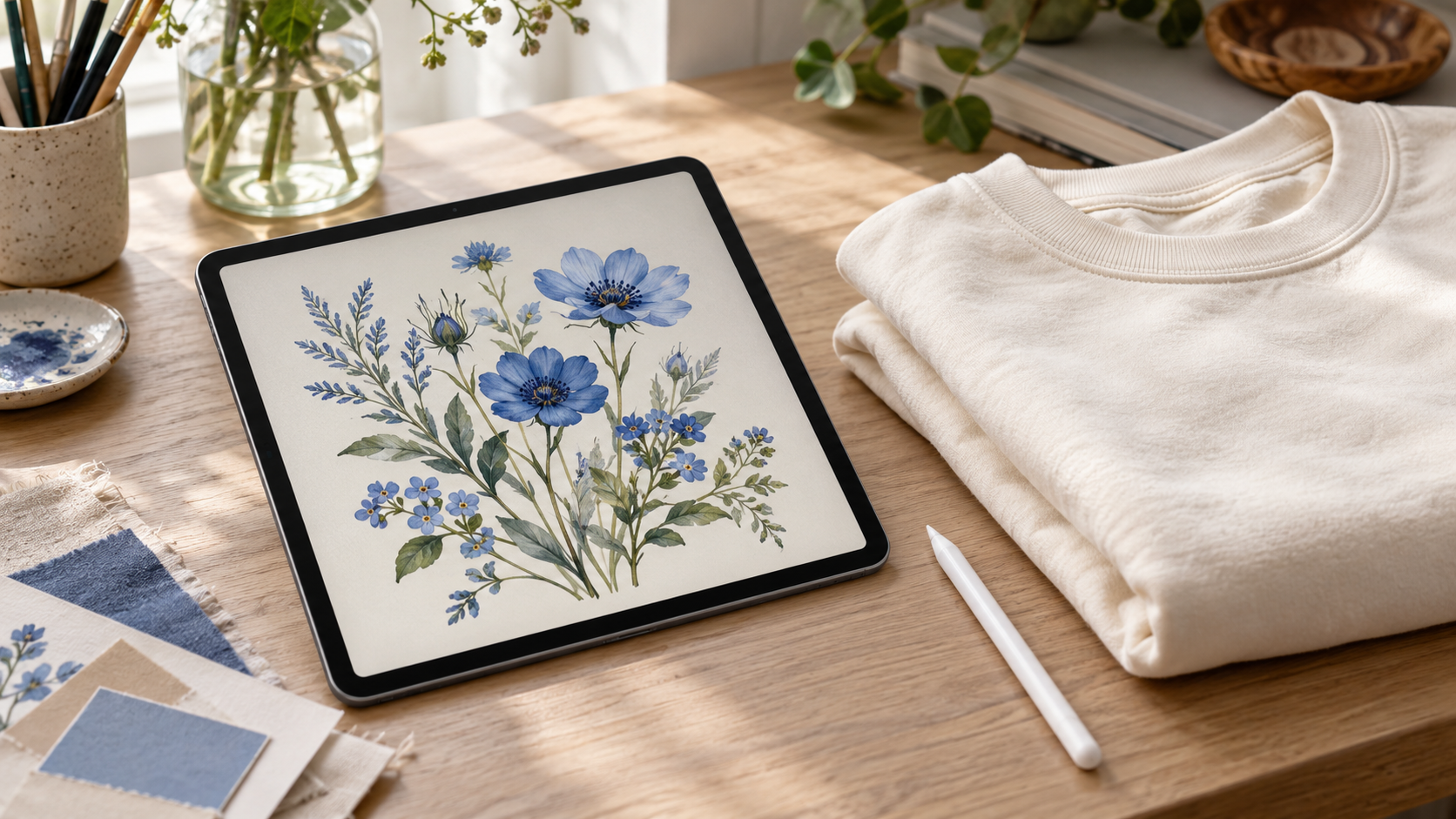
After generating an image, inspect it closely. Check spelling, small decorative details, the edges of the artwork, and how the composition will sit on the product. Look at the design at a realistic size, especially when the finished product has limited space.
Etsy’s Creativity Standards explain the requirements for original seller designs, production partners, and seller-prompted AI creations. Include the required AI-use disclosure in the listing description when it applies, and disclose the production partner producing your original design.
Your finished product should match what the customer believes they are buying.
That applies to mockups too. If you show a particular print placement, product shape, color, or detail, it should represent the item you intend to fulfill. An appealing image earns its place in a listing by making the offer clearer.
Save the useful files in a way you can understand later. Keep the final artwork, the product version, and the listing images together. When you return to a promising idea, finding the correct files should be a small part of the job.

ETSY POD COURSE + LIVE SUPPORT + COMMUNITY
Ready To Connect Your Research, Design, and Shop Strategy?
Freedom Unclocked brings the course framework, creative resources, and implementation support together. Use twice-monthly live group coaching, on-demand tutorials, and the seller community while you work through your next product and shop decisions.
See Everything Inside Freedom Unclocked
Join Freedom Unclocked
Tutorials: Solve the Task in Front of You
The tutorial library covers tools and practical work associated with running a POD shop, including resources on Midjourney, Canva, and Printify. Use it when you need help completing a particular step in your workflow.
As a member, you also get to request Tutorials when you are struggling with how to execute on anything. I will create a video for you and add it to the Tutorial Library.

How To Make the Coaching Calls Useful
Freedom Unclocked includes twice-monthly group coaching and Q&A. The member schedule tells you when calls are taking place, and replays support members who need to catch up.
Bring a question that can be understood with a little context. Explain what you are trying to achieve, what you have tried, and where you are unsure. Include the relevant listing or example when appropriate.
For example, you might have two first-image options for the same product and want help making the offer easier to understand. Or you might be deciding which product direction deserves further research. Those questions give the conversation something concrete to work with.
After a call, write down the action you want to take and the reason behind it. Keep the scope small enough that you can complete it before adding several more tasks. When you return with a follow-up question, you can explain what changed.
The same approach helps when watching a replay. Choose the part relevant to your current decision, take the useful idea, and apply it. You can build your own learning path around the work you actually need to do.

The Freedom Lounge: Bring Your Work Into the Conversation
The Freedom Lounge is the membership’s private community. It gives sellers a place for discussion, support, and accountability between the other parts of the program.
When asking for feedback, make the request specific. Explain the product and intended buyer, then identify the decision you are trying to make. A focused question makes it easier for someone else to understand what would help.
Share the outcome when you apply an idea too. You might have completed a sample order, improved a listing image, or finally worked through a production question. Those are useful milestones in building a business, even before there is a sales result to discuss.
Keep other members’ shop information and conversations within the community. If you want to share an example publicly, get permission first. The membership works best when people can participate with clear expectations about how their information will be used.
Amplifying: Give Working Ideas More Attention
Amplifying is the method I teach for doubling down on what is working and selling. It became an important part of my own growth, alongside improving my designs and changing the products I offered.
At a high level, this means paying attention to the evidence your shop produces. Look at the products attracting interest and sales, then consider what you can learn from them. The specific implementation method is taught inside the course.
Keep your financial picture alongside that product analysis. A product that generates orders still needs to make sense after its costs. Understanding what you keep helps you decide where to put more of your time.
My ProfitTree review develops that part of the workflow: researching products, examining competition, and understanding shop profit. If you have reached the point where you need to make decisions from your own numbers, that is a useful companion to this membership overview.
Make the next decision from the work and evidence in front of you.

Price, Access, and Choosing Your Next Step
The current Freedom Unclocked checkout offers membership at $47 USD per month or $470 USD per year. Check the final price and applicable taxes at checkout before choosing your plan.
Under the current membership terms, subscriptions renew automatically until canceled. Access continues through the paid-through period after cancellation, and the terms describe fees as nonrefundable unless required by law.
Think about the support you would actually use. If you want a course framework alongside coaching, creative resources, and a community while you implement, the membership brings those elements together.
If you only need the weekly research resource, the separate Opportunity Report may suit that narrower task.
Before joining, look at your calendar as well as the offer. Choose a realistic work session you can protect and a first project you want to move forward. You will have a much clearer starting point when you know what you intend to work on.
Final Thoughts
Freedom Unclocked gives you several ways to support the same business-building process: understand the opportunity, create the product, present it clearly, and learn from what happens next. My own experience with product choice, AI-assisted design, and amplifying shapes the way I teach that work.
Start with your current question and the action that would help you answer it. If you want the course, coaching, and implementation support around that process, explore the Freedom Unclocked membership and choose the plan that fits your next stage.
ETSY POD COURSE + LIVE SUPPORT + COMMUNITY
Ready to Build an Etsy Shop That Supports Your Freedom?
Learn the strategy I used to build a multi-six-figure Etsy shop business. Freedom Unclocked includes a complete Etsy POD course, twice-monthly live group coaching, on-demand tutorials, and a community of sellers helping you implement it.
See Everything Inside Freedom Unclocked
Join Freedom Unclocked📌 Share on Pinterest
Looking for more information on print on demand? Check out these articles:
- Etsy AI Policy 2026: What POD Sellers Can Actually Do
- Etsy Curtain Trends: 4 POD Home-Textile Ideas To Test
- Etsy Fall and Winter Seller Trends 2026: What POD Sellers Should List Now
- Gotcha Day Pet Gifts: What To List Now
- Etsy Digital Downloads Can Become Physical Prints: Should POD Sellers Worry?
- Honest ProfitTree Review: How I Research Products and Understand My Etsy Profit
- Etsy POD Christmas Trends 2026: 7 Gift Ideas to Test Now
- Etsy POD Trends for Q4 2026: 3 Opportunities to Test Now
- Etsy Shared Access: How to Add Team Members to Your Shop
- Silly Goose Etsy Trend: POD Ideas to Test Now
- Memento Mori Gifts: The Best Etsy POD Ideas to Test
- Etsy Trends Search: Nature Journaling Gifts What to List Now
- Etsy Live Preview for Custom Listings: The Ultimate Guide to Setting It Up
- Calculating Etsy Fees for POD Sellers: Your Ultimate Guide
- Etsy Fall Home Decor Trends: What To List Now
- Etsy v Shopify for Print on Demand: Which One is Actually Right For You?
- The Ideogram Background Remover is Here
- Etsy’s Personalization Update: What POD Sellers Need to Know
- How to Price Print on Demand Products on Etsy
- Lifestyle By Design: The Ultimate Inspiration
- How to Set Up Printify Step-By-Step: The Ultimate Guide
- The Best Print on Demand Products to Sell on Etsy
- Etsy Tags: The Complete Guide to SEO Visibility
- Ideogram Custom Models: Game Changer For Print on Demand
- The Best AI Image Generators for Etsy POD Sellers
- Printify’s New Multi-Product Listing: Game Changer for Esty POD Sellers
- How I Retired at 42: My Story and Best Advice
- ProfitTree vs. eRank vs EverBee vs Alura: Which Etsy Tool Is Best?
- The Be Do Have Mindset: The Best Way to Thrive on Etsy
- Etsy’s New Review Ratings Calculation: What Print on Demand Sellers Need to Know (And What Etsy Isn’t Saying)
- How to Scale Your Etsy Print on Demand Shop
- Etsy Seller Trend Report Spring and Summer 2026: What POD Sellers Need to Know
- Passive Income for Artists: How to Sell Your Art on Etsy with Print on Demand
- How to Get Vela and Finally Scale Your Etsy Print on Demand Shop Like a CEO
- Closing a Chapter in Life: Leaving Burnout Behind And Starting Over Abroad
- How A Multi Six-Figure Shop Owner Tells You How To Use eRank for Etsy Print on Demand
- eRank vs Etsy Marketplace Insights: Which SEO Tool Is Best?
- Etsy Spring Trends for 2026: The Best Post-Christmas Boost
- The Best Etsy Print on Demand Course And Why
- Ideogram’s Prompt Based Editing Makes It One of The Best Mockup Creation Tools for Etsy POD Sellers
- Is Etsy Still Worth It in 2026? An Honest Answer From Six-Figure Seller
- The Best Art Prompt Generator for Etsy POD Sellers
- Etsy Trends for 2026: The Ultimate Guide for POD Sellers on How to Turn Pinterest’s Predictions Into Sales
- Amazon Print on Demand Opens New Income Stream for Sellers
- Print on Demand Market Growth is Booming: How to Ensure Your Etsy Shop Will Too
- Etsy Trending Searches 2026: What Buyers Want Right Now (And How POD Sellers Can Cash In)
- Amazon Handmade vs Etsy: Which Platform Is Better for Handmade Sellers?
- What Is Faire? Guide for Etsy POD Sellers
- Is Etsy Plus Worth It? An Honest Breakdown From a Multi 6-Figure Etsy Seller
- How Many Listings Should I Have on Etsy?
- How to Use Midjourney Privately
- How to Use the Midjourney Seed Parameter for Consistent Print-on-Demand Designs
- How to Use Midjourney Stylize for Better Design Results
- How to Use Etsy Marketplace Insights
- Should I Change My Etsy Titles?
- Etsy vs Redbubble: Which Platform Is Better?
- Are Print On Demand Candles Profitable on Etsy?
- Etsy Print on Demand Income Report: April 2025 ($6K+)
- Print on Demand Stickers on Etsy: Are They Profitable?
- $300K+ Passive Income Etsy Shop: My Best Go-To Tools
- Is eRank Worth It? Review From a 6-figure Etsy Seller
- Etsy Print on Demand Income Report: March 2025 ($8K+)
- How to Achieve Location Independence with Etsy Print on Demand
- Etsy Print on Demand Income Report: February 2025 ($7K+)
- The Best Tools for Etsy Sellers
- Is Print on Demand Profitable?
- Are Etsy Ads Worth It?
- Etsy Print on Demand Income Report: January 2025 ($10K+)
- Etsy Trending Searches in 2026: Plus How to Use Them to Boost Sales
- Etsy Print on Demand Income Report: December 2024 ($28K+)
- The Ultimate Etsy Print-on-Demand: Step-by-Step Beginners Guide
- Etsy Print on Demand Income Report: November 2024 ($21K+)
- EtsyHunt Review: A Tool for Etsy Print on Demand Sellers
- Etsy Print-On-Demand Income Report for October 2024 ($11K)
- Etsy Print on Demand Income Report: September 2024 ($12K+)
- Etsy Print on Demand Income Report: August 2024 ($13K+)
- Quarterly Etsy Income Report: Over $18,000 in Three Months (Q2 – 2024)
- How to Find High-Demand, Low-Competition Etsy Niches
- Etsy Trending Niches: Boost Sales with Print on Demand
- Quarterly Etsy Income Report: Over $20,000 in Three Months (Q1 – 2024)
- Side Hustle: Can You Really Make $2200 a Month on Etsy?
- How To Get Found On Etsy: My First Year on Etsy
