


This post may contain affiliate links. If you make a purchase through one of these links, I earn a small commission at no extra cost to you. Read my full disclosure here.
The Etsy AI policy 2026 update does not ban AI-generated art or AI-assisted product images. Etsy is allowing sellers to use AI while setting clearer expectations around buyer trust, accurate listing images, disclosure, and meaningful human involvement.
That is a very different story from some of the headlines declaring that Etsy is removing all the “AI slop” from the marketplace.
Those headlines make the change sound like Etsy drew a hard line against AI itself. It did not. And, in my opinion, it cannot.
I have read Etsy’s October 22 announcement, its updated Listing Image Requirements, its Creativity Standards, and its separate explanation of what AI-generated content is still allowed.
My takeaway as a print-on-demand seller is simple: Etsy is trying to make sure buyers understand what they are purchasing and can trust the images in front of them.
The target is deceptive AI use, not responsible AI use.
If you direct the creative process, review your work, disclose required AI use, and show customers an honest representation of the product they will receive, Etsy’s update gives you room to keep using AI.

What Etsy Actually Said About AI
Etsy’s announcement says the company is clarifying its expectations for AI use and updating its image requirements to protect buyer trust.
That word, trust, appears throughout Etsy’s explanation for a reason.
Etsy says many buyers cannot tell which products involve AI-generated content, and that confusion has become a barrier to shopping on the platform.
Buyers may see a beautiful lifestyle image and have no way to know if the fabric, proportions, print quality, or finished product will look anything like the listing.
The update addresses that problem through clearer rules, listing guidance, reporting tools, and stronger enforcement against misleading imagery and fraudulent inventory. You can read the full October 22 Etsy AI update here.
None of that amounts to a blanket prohibition on AI. Etsy chose a more specific approach because a blanket AI ban would treat helpful and deceptive uses as though they were the same. They are not.
Using AI to place an accurate product in a realistic lifestyle scene is different from generating an imaginary luxury sweatshirt that bears little resemblance to the one your production partner will ship.
Using an assistant to help draft a listing that you review is different from flooding the marketplace with thousands of untouched bot-generated products. Etsy is writing rules around those differences.
Etsy Still Allows AI-Generated Art
Etsy’s current policy continues to allow seller-prompted AI creations. That includes artwork produced by an AI generator from a seller’s original prompts or inputs.
The seller still needs to have a clear creative role. Etsy requires direct, individual human prompting, curation, and creative input into the specific item. The seller also has to disclose in the listing description when an item was created using AI.
This fits the “designed by a seller” category in Etsy’s Creativity Standards. Etsy specifically includes seller-prompted AI art in that category.
That means you can still use AI to help create original graphics for products sold through a production partner. You cannot misrepresent the result as entirely handmade or claim a creative process that did not happen. Human creativity needs to remain central. You decide what to make, direct the tool, evaluate the output, correct problems, and choose what becomes a finished product.
If you are learning how the major tools differ, my guide to the best AI image generators for Etsy POD sellers explains how I use them for both designs and mockups.
Want A Faster, Policy-Aware Mockup Workflow?
Join the waitlist for my upcoming Maya the Mockup Agent Workshop. I’ll teach you how to use an agent to automate repetitive mockup work while keeping your images realistic, accurate, and ready for your human review.
The Real Standard Is Listing Trust
Listing trust sounds subjective because it requires the seller to use judgment. A policy cannot examine every sweatshirt, mug, blanket, or ornament and write a separate mathematical standard for how realistic each mockup needs to be.
You have to look at the image and ask a practical question: If a customer orders from this picture, will the product that arrives feel like the product I promised?
Look at the first example Etsy provided.
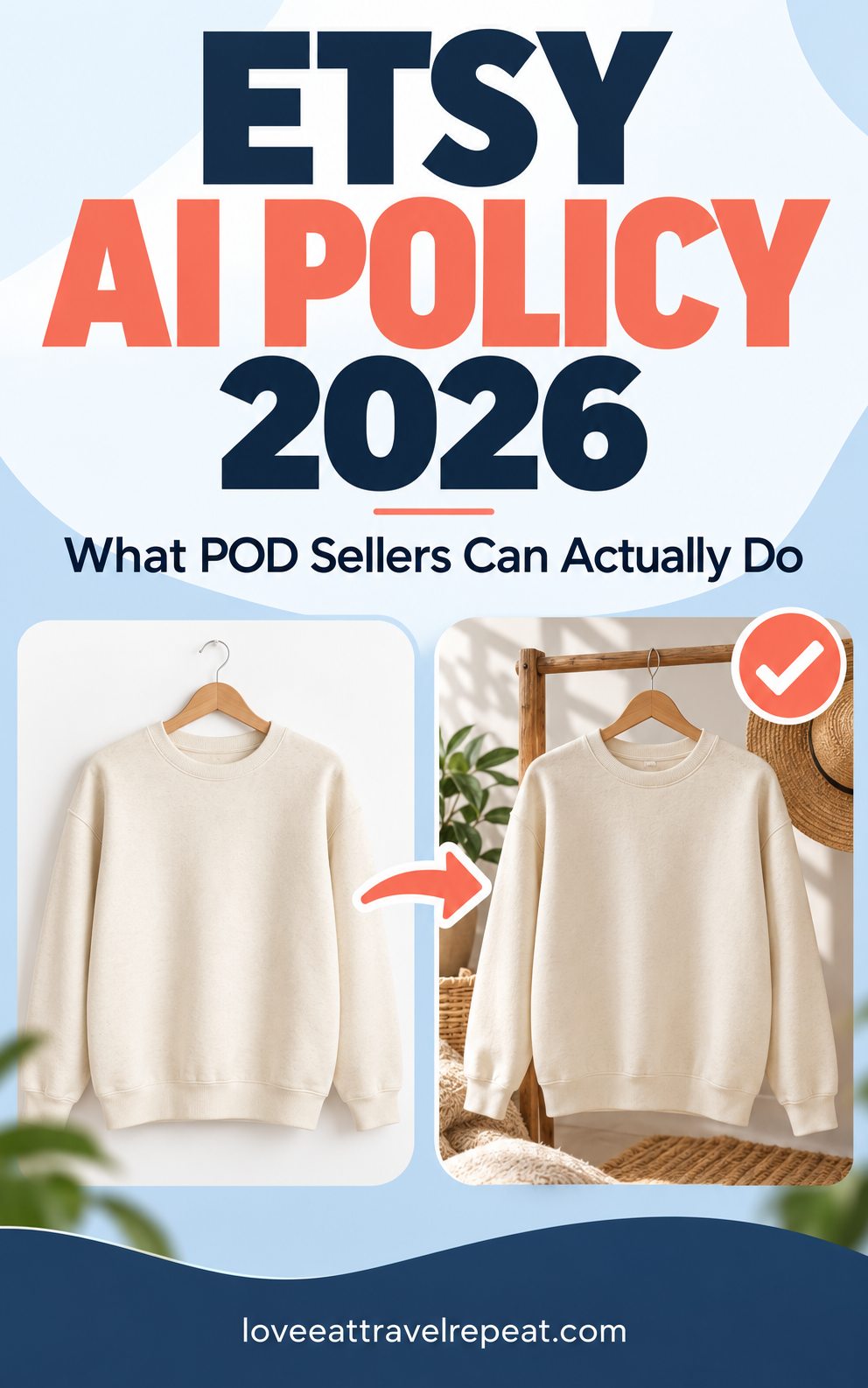
The background and presentation change, but the product remains recognizable. The AI-assisted image gives the buyer context without inventing a better product.
Now compare that with Etsy’s prohibited example.

The problem is easy to see.
The AI image creates expectations that the actual item cannot meet. The difference is not a tiny lighting variation. The image changes the product’s quality, texture, shape, and appearance.
If the real product feels like a downgrade when placed beside your mockup, the mockup is doing too much.
What The Unedited Photo Rule Means For POD
Etsy’s general rule says that most physical-product listings must include at least one unedited photo of the actual item against a real background. The required photo cannot be altered with editing software or AI.
The words “most products” matter because Etsy lists exceptions by product type. Standard print-on-demand products have one of those exceptions.
Under the updated Listing Image Requirements, a seller may use an authorized stock photo mockup when a production partner prints the seller’s original design on a standard base product, such as a T-shirt or mug.
A standard Printify mockup may qualify under the POD stock-mockup exception. It is not the same thing as an unedited photograph you personally took against a real background.
This distinction matters because saying every POD seller must order and photograph every standard product would overstate Etsy’s rule. Etsy created the production-partner exception because that requirement would not fit how standard POD businesses operate.
My practice is still to include the standard Printify mockup in every listing, even when it is the last image. It gives the buyer another reference for the base product, design placement, and product options.
You can learn more about how the supplier workflow works in my step-by-step Printify guide. If you combine products in one listing, my guide to Printify’s multi-product listing feature explains that setup too.
Does The Printify Mockup Have To Be First?
No. Etsy recommends making the first image the clearest and most realistic representation of the item the buyer will receive. In the announcement, Etsy presents that instruction as a best practice.
The policy does not say the standard Printify mockup must be the first image in every non-personalized POD listing. A truthful AI-assisted lifestyle image can still be your primary image when it accurately reflects the product.
This gives POD sellers creative flexibility. It does not give us permission to use any beautiful AI image simply because it attracts clicks. Your garment type, color, texture, dimensions, design scale, and print placement still need to make sense.
If your listing is for a flat printed design, the mockup should not make it look like raised embroidery, chenille, sequins, or textured stitching.
Personalized POD Has Different Rules
Personalized and customized listings need extra care. Etsy’s Creativity Standards say the first image for a personalized or custom item should show a finished, customized item similar to what the buyer will receive.
A blank product or an image with placeholder text such as “Your Text Here” cannot be the main image. Supplemental mockups can show choices and customization options, but the buyer needs to see a believable finished example first.
I explain those requirements in more detail in my article on Etsy’s personalization update for POD sellers.
What POD Sellers Can And Cannot Do
| What POD Sellers Can Do | What POD Sellers Cannot Do |
|---|---|
| Use seller-prompted AI art with individual creative direction, curation, and review. | Mass-generate products or listings through bots without individualized human involvement. |
| Adjust a background, lighting, color, cropping, or presentation when the final image stays accurate. | Change a product’s color, texture, condition, proportions, quality, or core features. |
| Use an authorized production-partner stock mockup for a standard, non-personalized POD product. | Use a misleading approximation that creates false expectations about the item. |
| Use an accurate AI-assisted lifestyle image as the first image for standard POD. | Use a blank or placeholder-text image as the main image for a personalized item. |
| Use an agent to assist when the seller gives specific direction and reviews the individual result. | Publish an untouched stream of bot-generated listings with no meaningful seller input. |
| Sell seller-prompted AI artwork that meets Etsy’s Creativity Standards and includes the required disclosure. | Sell AI-generated functional instructions, including patterns, recipes, project plans, or how-to guides. |
| Use AI editing while keeping an authorized supplier mockup as a clear product reference. | Use AI to create fake inventory, hide flaws, or depict a product that does not exist. |
The chart is the short version. The working rule beneath every row is that AI should support the seller’s creativity and business without deceiving the buyer or removing the seller from the process.

What Bot-Generated Listings Actually Means
The bot restriction is interesting because tools such as Claude and Codex can now interact with browsers and help complete listing workflows. That capability alone does not mean Etsy has banned agents.
Etsy’s language focuses on bot-generated content without human involvement. Its AI policy requires direct, individual human prompting, curation, and creative input into the specific item. It prohibits mass-automated generation without individualized human oversight.
A seller who gives an agent specific information, checks the title and description, verifies every product detail, reviews the mockups, and decides what gets published is still involved. An unattended system that invents products and floods a shop with listings is another matter.
There will be edge cases because Etsy has not published a technical checklist for every agent-assisted workflow. My reading is that responsible automation needs a human decision point before publication.
If you use an agent, do not treat the output as truth. Check the product name, material, dimensions, processing time, production partner, design details, intellectual-property risk, and every image. Your name and shop are attached to the listing, so the final responsibility is yours.
What You Need To Disclose
If AI helped create the item or design itself, Etsy requires disclosure in the listing description. Etsy says sellers cannot present AI-generated work as handmade or entirely their own creation.
For AI-edited listing photos, the October 22 announcement recommends noting the edit in the listing description so buyers have context. Etsy calls this a best practice in the announcement rather than stating it as the same mandatory disclosure that applies to an AI-created item or design.
I would still disclose relevant AI photo editing. Transparency supports the trust Etsy is asking sellers to build, and it prevents a customer from feeling tricked after the product arrives.
A simple description can explain that lifestyle images were created or edited with AI for presentation and that the product mockup accurately shows the item, color, and design placement.
Keep the language factual. The disclosure does not repair a misleading image. Telling a buyer that AI was used does not give you permission to show them a product they will never receive.
The Legal Context Etsy Mentions
Etsy also points sellers to California SB 1050, which takes effect January 1, 2027. Etsy explains that some listing images or videos may be treated as advertisements and may require a clear disclosure when they prominently feature a realistic AI-generated synthetic performer.
That example is narrower than a general rule requiring every AI-assisted mockup to carry the same legal disclosure. The law involves realistic synthetic performers and California advertising requirements.
Sellers should review the law and get legal advice about their own images rather than treating one paragraph in a marketplace announcement as a complete legal analysis. This is not legal advice.
From my perspective as a former attorney, but again, not providing legal advice: Etsy is creating a reasonable trust-and-disclosure framework while laws and technology continue to change.
The platform needs rules that discourage misleading advertising without pretending that every AI feature, every edited background, and every seller-directed design creates the same risk.
What Etsy’s AI Detection Notice Tells Us
I am hearing anecdotally from sellers that Etsy may show an AI guidance notice when a file is downloaded directly from ChatGPT and uploaded to a listing. In one test shared with me, the direct ChatGPT file produced the notice, while a version exported again through Canva did not.
Etsy has not publicly explained the exact detection system. My working theory is that the original file may contain machine-readable provenance or metadata that Etsy can recognize, while exporting the image through another tool may remove or replace some of that information.
That remains a theory based on a limited observation. It does not prove that Etsy relies only on metadata, and it does not prove that Canva makes an image undetectable.
A detection notice does not automatically mean the image violates Etsy’s policy, and the absence of a notice does not prove that an image complies.
Etsy says its current listing guidance will provide tips when it detects AI-generated images. It also says it plans to expand proactive enforcement over time.
The company has not promised perfect detection, instant removals, or a system that can understand every product category without context.
That is another reason a hard ban would be difficult to apply. AI features now sit inside design software, background-removal tools, photo editors, writing tools, and ecommerce workflows.
A file can involve AI in several different ways, ranging from a minor background cleanup to a fully invented product.
Etsy has chosen to judge the seller’s role and the honesty of the listing rather than pretending every use is identical.
How I Would Review Every POD Listing
- Start with the exact product. Compare the listing images with the blank, color, print method, and production partner attached to the SKU.
- Inspect the details AI often changes. Look at seams, neckline, cuffs, thickness, fit, fabric texture, design size, and print position. Make sure a flat print does not look like embroidery, chenille, or sequins.
- Keep an authorized supplier mockup in the image set. It gives the customer a practical reference even when the first image is a polished lifestyle scene.
- Review your description. Disclose AI when it helped create the item or design. Explain relevant AI photo editing clearly, and confirm that your production partner is disclosed.
- Make the final decision as a human. Automation can save hours, but the system should bring the work to you for approval rather than making customer promises you never saw.
Why This Policy Does Not End AI On Etsy
The most dramatic headlines make this update sound like Etsy finally chose humans over AI. Etsy’s actual position is more practical.
The company continues to permit seller-prompted AI art. It allows AI-assisted listing images. It allows authorized stock mockups for standard POD.
The policy draws boundaries around specific harms: false product expectations, fake inventory, invisible seller involvement, unreliable functional instructions, and mass automation without individual oversight.
That approach makes sense. An AI background replacement that keeps the real product intact is not the same as an imaginary product photo. A seller using AI to refine an original idea is not the same as a bot publishing thousands of products without review.
Enforcement will probably change as Etsy gathers more reports, tests its tools, and learns how buyers and sellers respond. Etsy calls these updates a starting point. We should expect more guidance.
For now, responsible POD sellers do not need to panic. We need to tighten our review process, keep our mockups honest, disclose AI appropriately, and stay involved in the work.
Final Thoughts
This Etsy AI policy update is a trust policy. Etsy wants the buyer to understand what they are seeing, what they will receive, and what role the seller played. The platform is still allowing AI-generated art and AI-assisted imagery because those tools can support real creativity and make running a small business more efficient.
The freedom comes with responsibility. Your image has to tell the truth. Your disclosure has to give the buyer useful context. Your automation needs human direction and review.
That has always been my standard. I use AI-generated lifestyle images, but I also keep the Printify mockup in every listing. I compare the image with the actual product and ask if the customer will feel that I delivered what I showed.
If you are doing that work, this update should feel more like clarification than a reason to panic.
Turn The Policy Into A Better Mockup System
In the Maya the Mockup Agent Workshop, I’ll teach you how to automate repetitive mockup work while staying in control of product references, quality standards, and final review. The goal is a faster system that still protects customer trust.
This article is educational and reflects my interpretation as a former attorney and experienced Etsy POD seller. It is not legal advice. Review Etsy’s current policies and speak with your own attorney about legal requirements that may apply to your business.
The Best Resources for Your Print on Demand Business:
These are the resources I use for my multi six-figure Print on Demand business!
Canva: Canva is the most amazing tool. It is user friendly, and always improving! The tools that Canva has have evolved so much since I first started using it in 2022 for the better. I use it almost everyday. I use it to create designs, to edit AI designs, and to create product mockups.
Ideogram: Ideogram is an AI design tool that generates high-quality graphics with exceptionally accurate text rendering, making it ideal for creating quote-based and typography-focused designs. I also use the prompt based editing for mockups, making it a wonderful alternative to Photoshop, which is expensive.
E-Hunt: E-Hunt is fantastic for competitor research and some light keyword research. My favorite aspect of E-Hunt is the Chrome extension that allows you to see the sales amount for an individual item on Etsy. Check out this article to see an example.
eRank: eRank is an SEO data tool that also allows you to search the competition and will also give you key words for your Etsy listing. It is also a low cost tool that will help you find low competition and highly searched niches.
Printify: Printify is a print-on-demand (POD) service that allows individuals and businesses to create and sell custom-designed products without needing to manage inventory or handle fulfillment. I put my designs on products offered by Printify. When an item sells, Printify prints and ships to my customer.
ProfitTree: is the tool I use for profit analysis and AI-powered analysis of all of my Etsy shops. I use ProfitTree’s MCP connect to ChatGPT/Codex to my account and can run all sorts of analyses using my own data! I can even do demand research all inside ChatGPT (also works inside Claude).
AnywherePOD: AnywherePOD is the tool I use for automation and diving into personalization. I can bulk upload products to Printify, which is a game changer. AnywherePOD also has an AI Assistant that can bulk upload designs, multi-design and multi-variant listings! If you want to list and grow faster, you need AnywherePOD.
Vela: Vela is the bulk editing tool I use to manage hundreds of Etsy and Shopify listings without losing my mind. You can update videos, photos, titles, tags, descriptions, and prices across your entire shop in minutes, and your VA can build listings inside Vela without needing your Etsy login. Read more about Vela here.
Shopify: Shopify is what I recommend when you are ready to scale beyond Etsy and diversify where your products sell. The fees are lower, you own your customer data (emails), and it integrates directly with Printify and Vela. It is the easiest way to build a standalone storefront that you control. Read more about Etsy v Shopify here.
FAIRE: FAIRE is the wholesale marketplace I use to sell my products to retail, brick and mortar stores. If you want to scale your shop and add a wholesale revenue stream to your POD business, FAIRE is a great option. Read more about FAIRE here.
📌 Share on Pinterest
Looking For More Information On Print On Demand? Check Out These Articles:
- Freedom Unclocked: What’s Inside and How To Put It To Work
- Etsy Curtain Trends: 4 POD Home-Textile Ideas To Test
- Etsy Fall and Winter Seller Trends 2026: What POD Sellers Should List Now
- Gotcha Day Pet Gifts: What To List Now
- Etsy Digital Downloads Can Become Physical Prints: Should POD Sellers Worry?
- Honest ProfitTree Review: How I Research Products and Understand My Etsy Profit
- Etsy POD Christmas Trends 2026: 7 Gift Ideas to Test Now
- Etsy POD Trends for Q4 2026: 3 Opportunities to Test Now
- Etsy Shared Access: How to Add Team Members to Your Shop
- Silly Goose Etsy Trend: POD Ideas to Test Now
- Memento Mori Gifts: The Best Etsy POD Ideas to Test
- Etsy Trends Search: Nature Journaling Gifts What to List Now
- Etsy Live Preview for Custom Listings: The Ultimate Guide to Setting It Up
- Calculating Etsy Fees for POD Sellers: Your Ultimate Guide
- Etsy Fall Home Decor Trends: What To List Now
- Etsy v Shopify for Print on Demand: Which One is Actually Right For You?
- The Ideogram Background Remover is Here
- Etsy’s Personalization Update: What POD Sellers Need to Know
- How to Price Print on Demand Products on Etsy
- Lifestyle By Design: The Ultimate Inspiration
- How to Set Up Printify Step-By-Step: The Ultimate Guide
- The Best Print on Demand Products to Sell on Etsy
- Etsy Tags: The Complete Guide to SEO Visibility
- Ideogram Custom Models: Game Changer For Print on Demand
- The Best AI Image Generators for Etsy POD Sellers
- Printify’s New Multi-Product Listing: Game Changer for Esty POD Sellers
- How I Retired at 42: My Story and Best Advice
- ProfitTree vs. eRank vs EverBee vs Alura: Which Etsy Tool Is Best?
- The Be Do Have Mindset: The Best Way to Thrive on Etsy
- Etsy’s New Review Ratings Calculation: What Print on Demand Sellers Need to Know (And What Etsy Isn’t Saying)
- How to Scale Your Etsy Print on Demand Shop
- Etsy Seller Trend Report Spring and Summer 2026: What POD Sellers Need to Know
- Passive Income for Artists: How to Sell Your Art on Etsy with Print on Demand
- How to Get Vela and Finally Scale Your Etsy Print on Demand Shop Like a CEO
- Closing a Chapter in Life: Leaving Burnout Behind And Starting Over Abroad
- How A Multi Six-Figure Shop Owner Tells You How To Use eRank for Etsy Print on Demand
- eRank vs Etsy Marketplace Insights: Which SEO Tool Is Best?
- Etsy Spring Trends for 2026: The Best Post-Christmas Boost
- The Best Etsy Print on Demand Course And Why
- Ideogram’s Prompt Based Editing Makes It One of The Best Mockup Creation Tools for Etsy POD Sellers
- Is Etsy Still Worth It in 2026? An Honest Answer From Six-Figure Seller
- The Best Art Prompt Generator for Etsy POD Sellers
- Etsy Trends for 2026: The Ultimate Guide for POD Sellers on How to Turn Pinterest’s Predictions Into Sales
- Amazon Print on Demand Opens New Income Stream for Sellers
- Print on Demand Market Growth is Booming: How to Ensure Your Etsy Shop Will Too
- Etsy Trending Searches 2026: What Buyers Want Right Now (And How POD Sellers Can Cash In)
- Amazon Handmade vs Etsy: Which Platform Is Better for Handmade Sellers?
- What Is Faire? Guide for Etsy POD Sellers
- Is Etsy Plus Worth It? An Honest Breakdown From a Multi 6-Figure Etsy Seller
- How Many Listings Should I Have on Etsy?
- How to Use Midjourney Privately
- How to Use the Midjourney Seed Parameter for Consistent Print-on-Demand Designs
- How to Use Midjourney Stylize for Better Design Results
- How to Use Etsy Marketplace Insights
- Should I Change My Etsy Titles?
- Etsy vs Redbubble: Which Platform Is Better?
- Are Print On Demand Candles Profitable on Etsy?
- Etsy Print on Demand Income Report: April 2025 ($6K+)
- Print on Demand Stickers on Etsy: Are They Profitable?
- $300K+ Passive Income Etsy Shop: My Best Go-To Tools
- Is eRank Worth It? Review From a 6-figure Etsy Seller
- Etsy Print on Demand Income Report: March 2025 ($8K+)
- How to Achieve Location Independence with Etsy Print on Demand
- Etsy Print on Demand Income Report: February 2025 ($7K+)
- The Best Tools for Etsy Sellers
- Is Print on Demand Profitable?
- Are Etsy Ads Worth It?
- Etsy Print on Demand Income Report: January 2025 ($10K+)
- Etsy Trending Searches in 2026: Plus How to Use Them to Boost Sales
- Etsy Print on Demand Income Report: December 2024 ($28K+)
- The Ultimate Etsy Print-on-Demand: Step-by-Step Beginners Guide
- Etsy Print on Demand Income Report: November 2024 ($21K+)
- EtsyHunt Review: A Tool for Etsy Print on Demand Sellers
- Etsy Print-On-Demand Income Report for October 2024 ($11K)
- Etsy Print on Demand Income Report: September 2024 ($12K+)
- Etsy Print on Demand Income Report: August 2024 ($13K+)
- Quarterly Etsy Income Report: Over $18,000 in Three Months (Q2 – 2024)
- How to Find High-Demand, Low-Competition Etsy Niches
- Etsy Trending Niches: Boost Sales with Print on Demand
- Quarterly Etsy Income Report: Over $20,000 in Three Months (Q1 – 2024)
- Side Hustle: Can You Really Make $2200 a Month on Etsy?
- How To Get Found On Etsy: My First Year on Etsy
